How to Clear Customs in the Bahamas: A Step‑by‑Step Guide
A practical, step‑by‑step guide for yacht charterers to clear customs in the Bahamas using the Click2Clear system, choose a Port of Entry, and avoid common delays.

Intro paragraph (2–4 sentences) To clear customs in the Bahamas you must file a Pleasure Vessel (cruising permit) through the Click2Clear Cruising Permit module before—or immediately upon—arrival, then present original documents and the validated permit at a designated Port of Entry. Follow the Click2Clear steps, fly the yellow Q flag on approach, and have the captain report to Customs/Immigration; doing those three things removes almost every avoidable delay. This guide shows exactly what to enter, what to print, which ports to choose, how fees work and how to handle common problems.
Overview of the Click2Clear System
What is Click2Clear?
- Click2Clear (BESW / the Bahamas Electronic Single Window) is the Bahamas Customs online portal used for customs declarations, cruising permits and related government agency submissions. It centralises the inward/outward vessel declarations and payments so Customs, Immigration and other agencies can review and approve before you step ashore.
Why it matters for yacht charterers
- For pleasure craft the Cruising Permit module is the official channel: all pleasure vessels must be entered and the permit fees paid via the Click2Clear Cruising Permit module (the portal calls this the Pleasure Craft / Create Inbound flow). Submitting online shortens the time you spend at the office and avoids mistakes that trigger secondary checks. However, the online submission does not replace the requirement to present originals to a Customs Officer at a Port of Entry for final approval and stamping.
Practical note
- Click2Clear is intended to be paperless/cashless but Customs still requires physical sight of originals at the Port of Entry; print validated pages and the payment receipt and keep digital backups offline (PDFs) in case cellular or wifi is unreliable.
Registering for Click2Clear
Registration process
-
Go to the BESW / Click2Clear registration page and complete the one‑time user registration. Non‑resident individuals upload a photo of their passport (biographical page); business users upload business licence documents and assign an account administrator. Registration fields include name, contact details, ID type/number and island/city. Allow time for uploads and captcha verification.
-
If you are only submitting a single cruising permit as an individual you do not necessarily need a full user account to “Request Cruising Permit” from the login screen—many captains use the Request Cruising Permit / Pleasure Craft flow without creating a separate account—but registration is recommended if you expect repeat visits or have a business entity handling charters. The Click2Clear guide walks this flow step by step on the dashboard.
Documents you will need for registration
- Non‑resident: passport biographical page (photo), email, phone.
- Resident/Business: NIB smart card for residents or company business licence for businesses; additional documents for brokers or couriers when applicable.
- Keep scanned copies ready (max upload sizes apply).
Help and support contacts
- Click2Clear/BESW support email and Customs contact addresses are listed on the Customs and BESW pages; save them in your pre‑departure folder (example support email shown on the Customs site). If you hit problems, the BESW helpdesk is the first stop.
Submitting Declarations Through Click2Clear
Step‑by‑step submission
-
Start “Create Inbound” under the Pleasure Craft / Cruise Permit module. There’s no need to create a user account for a one‑off submission, but a registered user has access to saved drafts and search tools. The system marks required fields with red asterisks—fill every required field.
-
Vessel details: enter the vessel name, country and registration number exactly as shown on the papers, engine data, and last foreign port. Incomplete or mismatched details are the most common cause of delay. Upload a clear image or PDF of the vessel registration under Documents.
-
Maritime Declaration / Health: complete the maritime health declaration fields where asked (there is a tab for it). Some ports still require a physical Maritime Declaration of Health form on arrival.
-
Crew / passenger list: add each person (full name, date of birth, nationality, passport number). Use the interface’s “Blue +” button to add multiple people. Immigration requires an inward passenger and crew manifest for all persons arriving by sea.
-
Stores and controlled items: declare firearms, fishing gear, drones, pets or high‑value stores. If you have none, declare “NONE” — leaving the section blank can trigger a secondary check. Pet and agricultural imports are routed to BAHFSA/agency review and may require additional permits.
-
Validate and Save: when you validate the form the system issues a Rotation Number (PCR‑xxxxx). Print multiple copies of the validated submission and the PCR; you will need them at the Port of Entry.
Payment of fees and confirmation
-
Use the Payment module, choose Pleasure Craft Payment, enter your Rotation Number as the Business Transaction Number and follow the Smart Pay redirect for card payment. Click2Clear accepts Visa debit/credit cards; the payment processor notes American Express is not supported in some flows. If you cannot pay online, marinas often accept payment in cash on arrival and will coordinate payment at the Port of Entry, but a vessel cannot be approved until fees are paid in full. Print the payment receipt.
-
After payment the submission status moves to “Pending for Approval by Customs.” The Customs Officer at the Port of Entry finalises the approval, stamps the Temporary Cruising Permit (Form C39) and returns the original stamped permit to you.
Designated Ports of Entry in the Bahamas
List of main ports useful to charterers
The Bahamas lists about 32 official Ports of Entry across the islands; the major yacht entry hubs most charterers use are:
- New Providence / Nassau (multiple marinas: Nassau Yacht Haven, Atlantis Marina, Lyford Cay, etc.)
- Grand Bahama / Freeport (Freeport Harbour, Port Lucaya marinas).
- Abaco / Marsh Harbour (Marsh Harbour marinas and public docks).
- Exuma / George Town (Exuma International Airport, Exuma Yacht Club).
- Eleuthera / Harbour Island / Spanish Wells (Harbour Island marina, Spanish Wells Yacht Haven).
- Bimini (Bimini Sands, South Bimini marinas).
Practical port notes
- Not every listed public dock is staffed 24/7; service levels, opening hours and ability to perform after‑hours clearances vary between Nassau/Freeport and Family Island ports. Confirm the port and the marina before you depart; Customs HQ hours in Nassau are typically shown as 09:00–16:00 Monday–Friday.
Essential Documents for Customs Clearance
Required documentation (carry originals + copies)
- Vessel registration / title (original).
- Passports for every person aboard (originals). Immigration requires passports valid for at least six months at entry.
- Printed and validated Click2Clear inbound submission and PCR (Rotation) number and payment receipt.
- Maritime Declaration of Health (as requested).
- Pet import permit and veterinary certificate (if applicable), firearms inventory if declaring weapons, fishing permit request if you plan to fish.
Onboard checklist (short)
- Originals: vessel registration, passports, pet permit (if any).
- Prints: validated Click2Clear form, payment receipt, PCR.
- Digital: PDFs offline (no roaming/wifi), secondary copies of passports and registration.
Tips to Expedite Customs Clearance
Pre‑arrival preparation (highest payoff)
-
Complete and pay the Click2Clear inbound Cruising Permit before you reach Bahamian waters; that typically reduces processing time on arrival to a document check and stamp.
-
Confirm your chosen Port of Entry will accept pleasure‑craft clearances at your ETA and whether you need to tie up at a customs dock or can clear ashore via the marina. Contact the marina or local Customs office by phone or email the day before arrival.
-
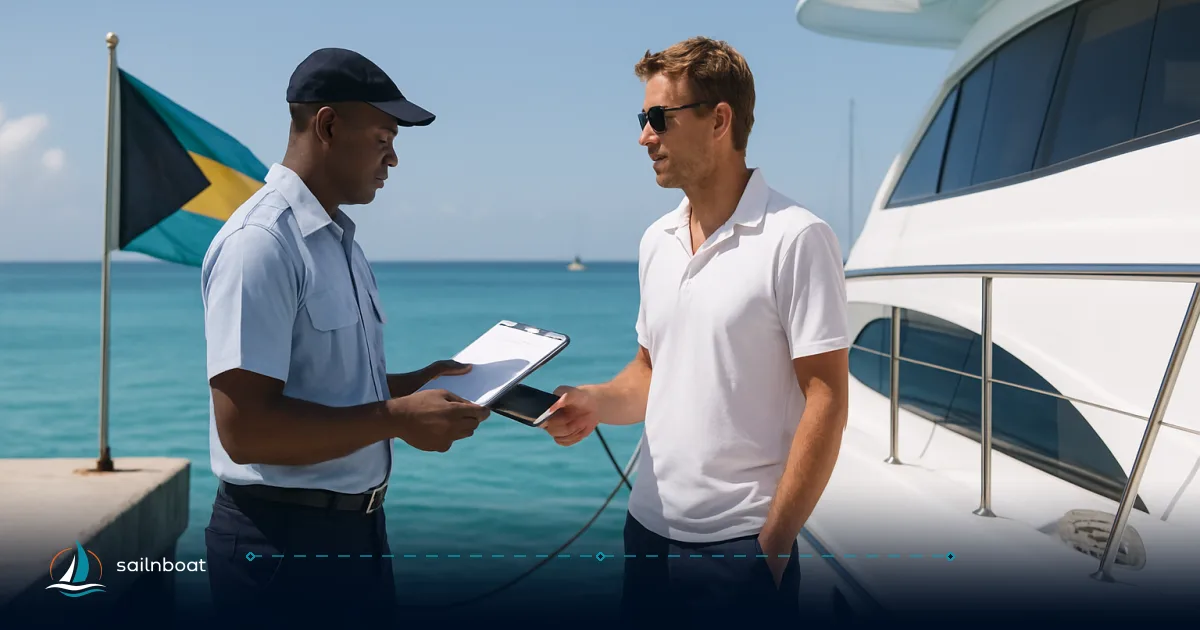
Fly the yellow Q (quarantine) flag on approach and keep all crew on board until cleared; only the captain is normally permitted to step ashore to present documents. Lower Q only after Customs/Immigration stamp is issued.
Operational shortcuts
-
Bring multiple printed sets of validated Click2Clear pages and receipts. Marinas often keep a copy and present the originals to Customs if you ask them to coordinate payment/attendance.
-
If you have pets, firearms, or intend to fish, start those separate permit workflows early; pet import and animal health approvals are handled by agricultural authorities and can take days.
Common Challenges and How to Avoid Them
Technical and portal issues
- Symptom: “Rotation not found” or portal timeout. Remedy: use Chrome, retype the PCR exactly (case sensitive, includes “PCR‑”), keep screenshots of the PCR, and use the BESW helpdesk email or phone if the system throws persistent errors. If payment fails at Smart Pay, print the failed‑payment screen and coordinate payment at the marina on arrival.
After‑hours arrivals and attendance fees
- If you arrive outside normal hours or require Customs/Immigration officers to attend a remote dock/anchorage, attendance, transport and overtime fees may apply; these costs can be substantial and are not always included in the permit fee. The FDCC and many permit fee packages list attendance and transport separately. Avoid after‑hours by timing arrivals during posted office hours or pre‑arranging an on‑site marina clearance.
Mismatch between online data and originals
- Common cause of delays: misspelt names, passport numbers or vessel registration discrepancies between printed Click2Clear submission and the physical documents. Fix: double‑check entries before validating and keep a corrected PDF copy on board.
Payment issues and card types
- Smart Pay generally accepts Visa; some flows do not accept American Express. If you cannot pay online, marinas commonly accept cash/card on your behalf but the vessel cannot be approved until payment is made. Carry backup payment options.
When to use a local agent
- Use a local yacht agent if arriving after hours, if you expect complications (pets, firearms, commercial activity) or if you prefer someone to deal with local offices. Agents charge a fee but can convert a multi‑hour clearance into a short handover. Many high‑season charterers find the agent fee worth the saved time and certainty.
Fees at a Glance (permit types and typical charges)
Below is the official fee structure for Temporary Cruising Permits and FDCC as published by Bahamas Customs (use this table to compare; these are the published rates the authority shows and they can change — budget accordingly):
| Permit type | Vessel length / category | Published fee (USD/BSD) |
|---|---|---|
| 30‑Day Temporary Cruising Permit | Not exceeding 30 ft | $150 |
| 30‑Day Temporary Cruising Permit | >30 ft – <50 ft | $250 |
| 30‑Day Temporary Cruising Permit | >50 ft – <100 ft | $350 |
| 30‑Day Temporary Cruising Permit | >100 ft | $600 |
| 6‑Month Temporary Cruising Permit | ≤50 ft | $300 |
| 6‑Month Temporary Cruising Permit | >50 ft – <100 ft | $750 |
| 6‑Month Temporary Cruising Permit | >100 ft | $2,000 |
| 12‑Month Temporary Cruising Permit | ≤50 ft | $500 |
| 12‑Month Temporary Cruising Permit | >50 ft – <100 ft | $1,000 |
| 12‑Month Temporary Cruising Permit | >100 ft | $3,000 |
| Frequent Digital Cruising Card (FDCC) | ≤50 ft | $1,500 |
| FDCC | >50 ft – <100 ft | $2,500 |
| FDCC | >100 ft | $8,000 |
| Passenger arrival tax | Per non‑resident passenger beyond 3 people (age 6+) | $20 pp |
| Outbound clearance certificate (manual) | — | $75 |
(Source: Bahamas Customs — Pleasure Vessel Clearance page; fees and categories as published).
Practical fee guidance
- Choose 30‑day permits for short trips; choose 6‑ or 12‑month permits or an FDCC if you plan repeated or extended visits — FDCC is cost‑effective for frequent multi‑visit cruising but carries a higher upfront cost and additional attendance/transport fees may still apply. Anchorage fees vary by permit and by whether you use a marina — read the permit page carefully.
Final checklist before you depart
- Complete and validate Click2Clear inbound and payment.
- Print validated form, PCR and payment receipt; store PDFs offline.
- Confirm Port of Entry staffing and ETA; notify marina.
- Fly the yellow Q flag on approach and keep crew aboard until clearance.
- Captain reports to Customs/Immigration with originals (registration, passports, pet/fishing/firearm documents).
Prepare your yacht for a seamless customs experience in the Bahamas: submit Click2Clear early, print the validated permit and the receipt, confirm the port and its hours, and carry originals for every document you declared. If you expect complications or late arrivals, budget for a local agent — the cost often buys speed and certainty.
(CTA) Ready to go? Gather the paperwork, submit your Cruising Permit on Click2Clear and confirm your first Port of Entry today.
Frequently Asked Questions
Click2Clear is The Bahamas’ electronic single‑window (SEW) platform that processes customs and cruising‑permit submissions (the Cruising Permit module handles pleasure craft). It lets you create an inbound declaration, receive a Rotation (PCR) number, and pay permit fees online before presenting originals at a Port of Entry.
Non‑resident individuals register on the BESW/Click2Clear portal by supplying an ID (passport photo page), email and contact details and uploading required documents; businesses provide business licence details. Registration is one‑time and done on the BESW registration page.
The Bahamas maintains an official list of Ports of Entry across the archipelago (about 32 entries). Major yacht entry points include Nassau (New Providence), Freeport (Grand Bahama), Marsh Harbour (Abaco), Exuma/George Town, Eleuthera/Harbour Island, and Bimini; many family‑island marinas and public docks are listed as official ports as well.
Bring originals of the vessel registration/title, passports for everyone aboard, a printed Click2Clear validated form/Rotation number, a maritime health declaration where requested, and any pet/fishing/firearm permits or certificates you declared in the portal.
Fill and pay the Click2Clear inbound Cruising Permit before departure, confirm the port and marina will accept you, carry printed copies and PDFs offline, hoist the yellow Q flag on approach, and have the captain report directly to Customs on arrival.
Expect occasional portal errors, payment processor failures, or after‑hours staffing limits that trigger attendance/overnight fees; mitigate them by pre‑submitting and paying, printing receipts, and confirming local office hours or using a local agent if required.
Written by
Sailnboat Editorial
The Sailnboat editorial desk covers yacht and boat chartering worldwide — routes, bases, seasons, boat types, paperwork and the practical costs that decide a trip. We are a charter marketplace, not a boat owner or a local agency: what we sell is judgement and support, so our guides are written to help you make a decision, not to sell you a specific boat. Every guide is checked against live operator and marina data before it goes out.
Fact-checked against live operator and marina data, and published under our editorial standards. Last reviewed: .