Yacht Wi‑Fi: What Charter Pros Wish Clients Knew
Practical, no-nonsense guidance on yacht wifi: what speeds to expect, what Starlink can and cannot do at sea, who pays for what, and exactly what crew will do when the signal falters.

Yacht wifi performs very differently in harbor than offshore: expect tens of Mbps in marinas and close coastal waters but single‑digit or no usable bandwidth once you’re well offshore unless the yacht carries a dedicated satellite system. This article tells you what charter operators mean when they sell “Wi‑Fi”, what Starlink actually delivers on a yacht, how charges are commonly handled, and the precise crew actions that fix most real problems. Clients should not attempt antenna remounting or physical adjustments themselves—these are strictly crew or operator tasks. Read this so you and your crew avoid surprise bills and lost meetings.
Understanding Onboard Wi‑Fi Speeds and Coverage
Typical charter Wi‑Fi is a mix of three layers: marina broadband, cellular (4G/5G) roam, and satellite backhaul (Starlink or VSAT) — and each behaves differently. In marinas and harbours you will commonly see tens of Mbps suitable for email, video calls and streaming; once you move offshore cellular signal weakens with distance and terrain and speeds fall into single digits or disappear entirely. Satellite options extend coverage but bring new limits (equipment, line‑of‑sight and data policy).
Typical ranges (calibrated):
- Marina / harbour Wi‑Fi: commonly measured in the range of ~10–50 Mbps for active users on a charter yacht; performance depends on how many boats share the AP and the marina’s backhaul.
- Cellular (4G/5G): often provides good speeds close to shore but degrades with distance; coastal reception can continue for many nautical miles in favourable locations (reports commonly cite reliable coverage to ~10–30 nm in different regions), but this is highly local and weather‑dependent.
- Satellite (Starlink/VSAT): when installed and optimised, satellite systems can deliver tens to hundreds of Mbps even offshore, but that performance depends on antenna hardware, plan/data tiers and obstruction‑free mounting.
Table: Practical comparison at a glance
| Option | Typical speeds (realistic) | Coverage | Latency | Typical cost signal |
|---|---|---|---|---|
| Marina Wi‑Fi | 10–50 Mbps (shared) | Dock/marina only | 30–80 ms (depends on internet) | Usually free or small per‑charter fee. |
| Cellular (4G/5G) | Variable, often tens of Mbps near shore | Coastline-dependent (often reliable to ~10–30 nm) | 30–70 ms | Pay-as‑you‑go or roaming charges; local SIMs reduce cost. |
| Starlink (maritime) | Tens to hundreds of Mbps typical; many users see >100 Mbps in good conditions. | Global maritime coverage on business/maritime plans; requires proper install and licensing. | Low for satellite: often <100 ms | High: hardware + recurring plan; some providers throttle after priority data. |
| VSAT (traditional GEO) | 3–50 Mbps typical for leisure packages (varies by plan) | Global with provider coverage | Higher latency (600+ ms) | Expensive airtime plans; often per‑GB billing. |
(Use the table to set guest expectations: a given yacht may combine two or more of the rows above.)
Starlink's Role in Maritime Connectivity
Starlink has moved quickly into yachting because its low‑Earth‑orbit (LEO) design usually delivers far better speeds and latency than classic GEO satellites. Starlink’s public statements and operator reports show a wide user experience range — many users report download speeds from tens up to a few hundred Mbps depending on terminal type and traffic load.
Capabilities of Starlink
- Realistically fast: many maritime installs (Performance / Gen 2 & Gen 3 terminals) deliver broadband‑class download speeds and lower latency that support conferencing, remote work and HD streaming.
- Rapid handoffs: LEO satellites hand off connections more often than GEO systems; the maritime terminals and network are designed for that, but handoffs and local congestion cause brief interruptions.
Limitations at sea
- Obstructions matter: even modest obstructions (masts, davits, radar towers, rigging) in the antenna’s field of view can cause dropped packets or outages; correct mounting height and location are mission‑critical.
- Plan and regional constraints: Starlink offers different maritime/business plans with priority data allocations and post‑priority reduced speeds in some tiers; regional licensing or operator policy can limit use in territorial waters. Expect plan rules and possible throttling after an allotment is consumed.
- Shared capacity and congestion: like any network, a single antenna supports a finite number of active users at good speed — on large yachts or charter vessels with many guests the effective per‑user speed falls as everyone streams or downloads big files.
Bottom line: Starlink is the best practical option today for near‑shore to offshore high‑bandwidth needs, but it is not “always perfect.” Expect brief outages, physical mounting requirements and plan limits.
Pre‑Charter Briefing on Connectivity
Tell clients exactly what systems are on board, what they do and what they do not guarantee. That conversation prevents the usual disappointment when a guest expects land‑office broadband at 20 miles offshore.
Key points to discuss before you sign
- What system(s) the yacht carries: marina Wi‑Fi, dedicated cellular router (with or without external antenna), Starlink (specify Performance/Maritime if fitted) or VSAT.
- Realistic speeds and use cases: say “video calls usually work in port or on Starlink; offshore you may have single‑digit speeds or none.” Use the table above to make it concrete.
- Charging model: whether Wi‑Fi is included, available as a paid package, or billed per‑GB. Give the likely range: many brokers/operators list a flat Wi‑Fi package or per‑charter fee and you will sometimes see small fees up to larger packages for global satellite access. Reported charter Wi‑Fi fees vary widely.
Setting realistic expectations
- Decide priorities (work calls vs streaming movies): streaming several 4K films and running multiple remote video calls are different demands — plan to limit simultaneous heavy streams or allocate bandwidth via QoS.
- Prepare offline backups: encourage clients to pre‑download critical work files and entertainment for longer passages when the only guaranteed connectivity may be intermittent or very limited. This saves both frustration and data. (Operationally common practice among charter operators.)
Clarifying Responsibilities and Charges
Contracts handle internet differently: some charters include a basic Wi‑Fi package, others present internet as an optional paid extra, and high‑capacity satellite time is often a distinct line item or charged against APA.
Understanding charges
- Typical practice: local marina Wi‑Fi is often free or covered by the marina; many charter companies offer an onboard Wi‑Fi package as an add‑on for the charter period — reported ranges in public broker documentation vary widely. For premium satellite/data services expect a significant additional cost compared with marina Wi‑Fi.
- Per‑GB vs flat packages: some yachts use flat daily/weekly packages; others meter data (per‑GB) on satellite or roaming cellular. Confirm whether usage is metered, what speeds are guaranteed, and who covers over‑use.
Client responsibilities
- Use common sense with heavy hitters: large downloads, cloud backups and multiple HD streams are the things that blow budgets and saturate a shared antenna. Agree limits beforehand and designate one device for business‑critical use if needed.
- If the contract names an APA (Advance Provisioning Allowance), check whether satellite airtime or heavy data use is drawn from it — practices differ by yacht/operator.
For Crew: Protocols for Connectivity Issues
This section is directed to professional crew and operators—clients should not attempt hardware changes or network resets themselves. Instead, ask your crew to follow these steps if you experience connectivity issues.
Proactive measures (before guests board)
- Test routines: Crew should run basic speed and stability checks in the marina and at typical anchorages, noting expected performance and standard router/satellite settings. This establishes a baseline for what guests can expect.
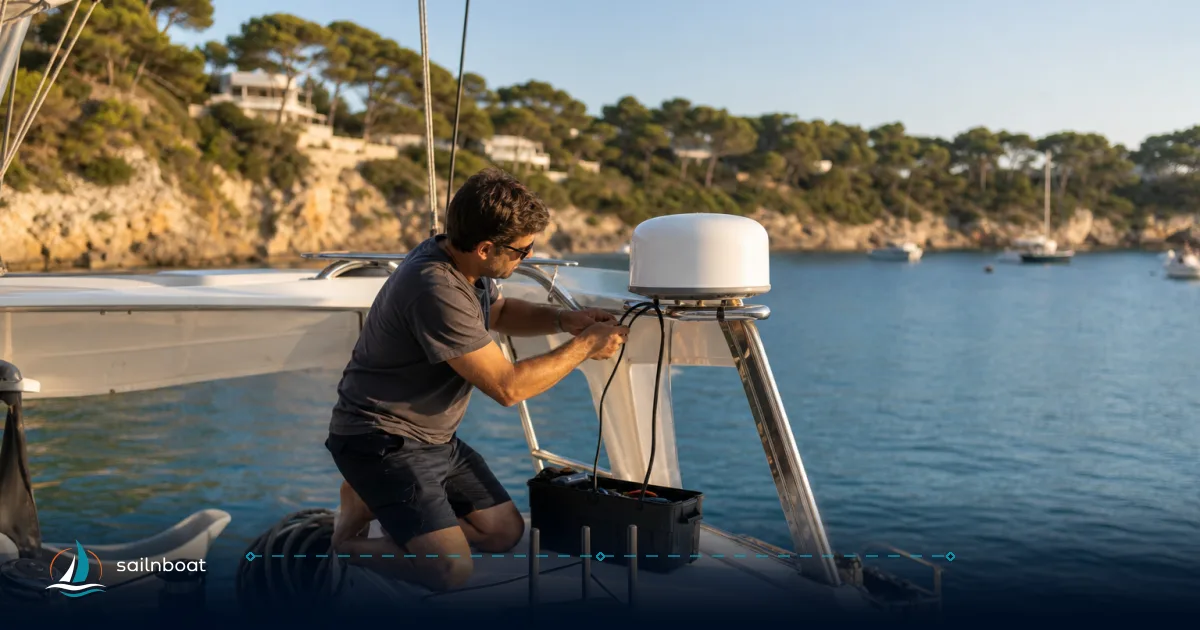
- Antenna placement: Only crew should check antenna locations for obstructions using the Starlink app or terminal utility. If masts or rigging interfere, repositioning is a crew-only task.
- Network setup: Crew should create a guest SSID, enable QoS to prioritise work devices or VoIP, and keep control passwords secure.
Troubleshooting checklist (for crew action when guests report issues)
- Check the antenna/terminal status via the Starlink app or vendor GUI — the terminal frequently reports obstruction or handover events.
- Reboot the router and satellite/4G modem (many transient faults clear with a power cycle).
- Switch critical devices to wired Ethernet where available — wired is more reliable for video calls.
- Confirm no one is running large background updates or cloud backups; ask guests to pause bulk transfers if speeds drop.
- If cellular is available, try a local SIM or an external directional antenna to restore essential connectivity.
- If the issue is physical obstruction (mast, boom, stack), only the crew should reposition or remount antennas, and only when safe to do so.
What clients should do: If you notice degraded connectivity, notify the crew and describe the issue (location, activity, device). Do not attempt to access or move any hardware yourself. The crew is trained to diagnose and resolve most problems or explain the limits based on current conditions.
Addressing client concerns
- Communicate candidly: Crew should brief guests on measured speeds and expected behaviour for each leg (“we’re running Starlink — you should see ~XX Mbps in harbour; offshore speeds will likely fall as cellular drops out”). The most reliable captains show measured numbers from pre‑charter tests, not just promises.
- Offer alternatives: Crew can suggest offline entertainment, schedule calls in port or on better connections, or recommend local SIMs for lower‑cost data near shore.
Final decision points — what to ask your broker or captain now
Before you pay or board, ask these four direct questions:
- Which systems are installed (marina, cellular router with external antenna, Starlink/VSAT), and which will be active during our charter?
- Can you show recent speed tests in a sample anchor and in the marina? (A captain who can produce a short note with two speed tests is already more reliable.)
- What is included in the contract price and what is extra (list data packages, per‑GB rates, or likely APA usage)?
- If we need guaranteed bandwidth for work, what can you supply and at what additional cost? (If guaranteed high throughput offshore is essential, request details on the satellite plan and a written estimate.)
If you clarify these items in writing before the charter, you avoid most of the common disputes and surprise bills.
Crew checklist (printable)
- Run Starlink app check; verify unobstructed sky sector.
- Run router + modem speed test in marina and at anchor (save results).
- Confirm guest SSID + QoS rules are active.
- Keep a local backup SIM and small power‑bank for a router reboot.
- Be ready to offer wired Ethernet for critical calls.
Yacht wifi is now good enough for most charter needs — provided you match expectations to the installed systems, agree pricing up front and let the crew follow a tight troubleshooting script when the sea or satellite network intervenes. Ask the four questions above and keep a copy of the vessel’s recent speed tests in the handover pack; that combination prevents most headaches and keeps your charter on course.
Contact us for tailored advice on yacht Wi‑Fi solutions for your next charter.
Frequently Asked Questions
Near shore and in marinas expect tens of Mbps; farther offshore speeds decline into single digits or drop to zero depending on cellular coverage or satellite availability. Many charter operators quote marina/cellular ranges as the baseline; premium satellite systems (Starlink/VSAT) raise speeds but introduce costs and installation constraints.
Starlink generally offers substantially higher speeds and lower latency than classic GEO satellites and is widely used on modern crewed yachts, but reliability depends on correct maritime hardware, unobstructed sky view, local licensing/plan limits and network congestion—outages can occur during satellite handoffs or from obstructions such as masts.
Clients should be told what systems are installed (marina Wi‑Fi, cellular router, Starlink/VSAT), realistic speed ranges in port vs offshore, any data caps or excess‑use charges, and suggested behaviour for heavy use (limit large downloads/streaming, prefer wired connections for work).
Yes — many charter agreements include a Wi‑Fi option or separate fee (fee ranges reported widely); some yachts charge by package or per‑GB for satellite/cellular data. Always confirm how the cost is billed before you book.
Crew actions include relocating the router/antenna to reduce obstructions, switching critical devices to wired Ethernet, enabling QoS or guest SSIDs, restarting network gear, swapping to a local SIM with better coastal coverage, and explaining realistic limits to guests while offering offline alternatives.
Written by
Sailnboat Editorial
The Sailnboat editorial desk covers yacht and boat chartering worldwide — routes, bases, seasons, boat types, paperwork and the practical costs that decide a trip. We are a charter marketplace, not a boat owner or a local agency: what we sell is judgement and support, so our guides are written to help you make a decision, not to sell you a specific boat. Every guide is checked against live operator and marina data before it goes out.
Fact-checked against live operator and marina data, and published under our editorial standards. Last reviewed: .