
Essential Sailing Weather Apps for Skippers: A Practical Guide
Clear, practical comparison of Windy, PredictWind, Windfinder and SailFlow — what each does best, costs, and which to use for a day sail versus a multi‑day passage.

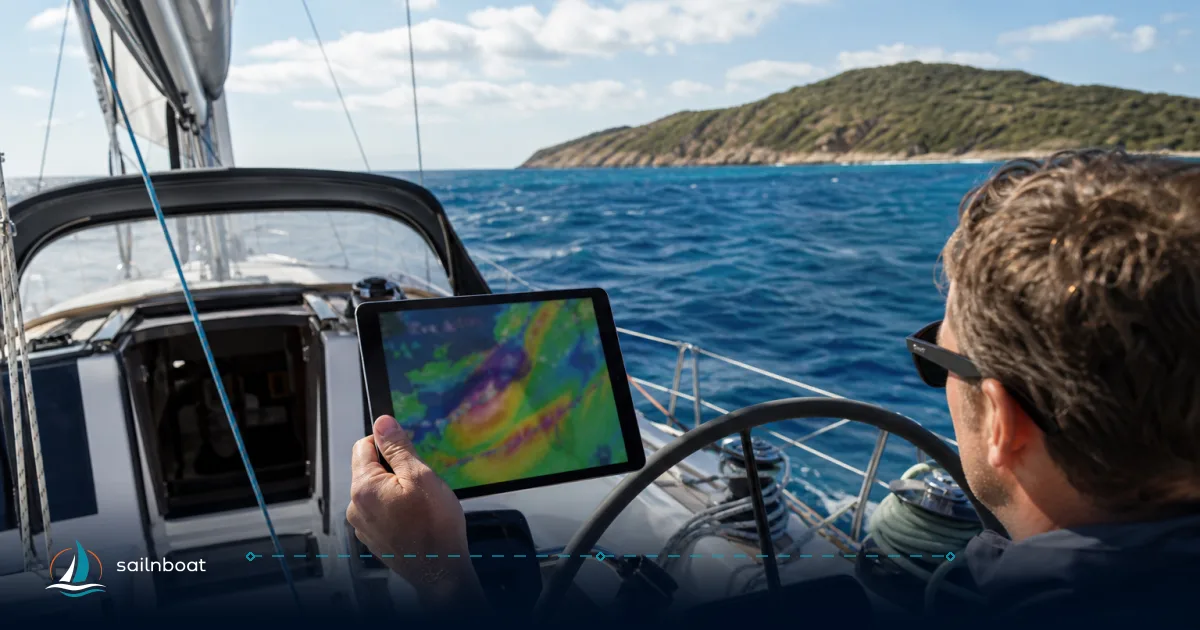
Sailors choose a sailing weather app by one simple test: will it give you reliable wind ensembles, usable GRIBs or routing for the distance you’ll cover, and tide/current data where it matters? If you need a quick coastal go/no‑go, pick an app with fast local observations and clear alerts; if you are planning multi‑day or offshore legs, prioritise GRIB download, weather‑routing and high‑resolution current products. Below I compare Windy, PredictWind, Windfinder and SailFlow, explain the features that matter, and give a checklist so you can choose the right tool for your trip.
Key Features of Sailing Weather Apps
A sailing weather app is useful only when it supplies the specific inputs you use to make decisions. Focus on these features.
Wind ensembles and GRIB file handling
- Why it matters: ensembles (multiple model runs) reveal forecast spread — the single best way to spot uncertainty ahead of a passage. GRIB files are the compressed raw model outputs you can store, replay offline and feed into route planners or chartplotters.
- What to expect: PredictWind is built around GRIB distribution and weather‑routing; its Offshore app and subscriptions explicitly provide high‑resolution GRIB downloads and routing tools for satellite/SSB use. Windy is excellent at showing multiple models visually but historically has not offered GRIB downloads for offline use, so you cannot export Windy models as GRIBs to a chartplotter. Use Windy for model comparison, PredictWind for offline GRIBs and routing.
Tide and current overlays
- Why it matters: tidal height and current timing change your available depth, speed over ground, and ETA — especially in constricted channels and tidal gates. Currents change risk for small‑boat passages and can make or break an arrival window.
- Practical note: PredictWind provides high‑resolution tidal‑current GRIBs in paid tiers (Standard/Professional) and explicitly lists "High‑res Tidal Currents" and ocean/tidal currents in its product comparison. SailFlow offers sea surface currents and tide graphs in supported regions and pairs live station reports with tide information. Windfinder supplies tide tables for many spots (handy for coastal day sails). The availability and resolution depend on the app tier and the region you’re sailing in.
Offline charts and navigation
- Why it matters: cellular coverage drops unexpectedly; if you rely on a live map or GRIB transfer, plan for offline access.
- How they differ: PredictWind’s Offshore app is explicitly designed to download GRIBs and let you review them offline (including via satellite connectivity workflows). Windy offers some offline map features and local model visualisation for on‑device viewing but typically does not allow GRIB export. Charting apps (Navionics, C‑MAP, Savvy Navvy, etc.) remain the primary solution for offline nautical charts — many sailors run a dedicated chart app plus a weather app.
Alerting capabilities
- What to look for: customizable alerts for wind speed/direction, gusts, tidal height/current windows, storm warnings, and the ability to receive push, email or SMS alerts.
- How the apps compare in practice: SailFlow’s paid tiers include unlimited wind and forecast alerts and allow granular thresholds per station; Windfinder supports wind alerts (Plus); Windy supports custom alerts and “Live Alerts” for severe events; PredictWind includes forecast alerts and daily briefings as part of its subscriptions. If you rely on scheduled departure notifications (departure‑planning alerts or route‑change triggers), pick an app with model‑based alerts and unlimited alert capacity on the tier you’ll use.
Comparison of Top Sailing Weather Apps
Below is a focused comparison of the four apps skippers ask about most. The row entries are operational: what you can actually do on a boat and which subscription tier unlocks the capability.
| App | GRIB download & routing | Tide & current overlays | Offline charts/GRIBs | Alerts | Typical published pricing (example tiers) | Best for |
|---|---|---|---|---|---|---|
| PredictWind | Full GRIB downloads (Offshore app), cloud routing, departure planner. | High‑res tidal & ocean currents (Standard/Pro tiers). | Yes — Offshore app supports offline GRIBs and satellite workflows. | Model‑based forecast & route alerts; daily briefings. | Free → Basic $29/yr → Standard $249/yr → Pro $499/yr (annual). | Multi‑day passages / offshore routing. |
| Windy | Excellent multi‑model visual ensemble, but GRIB export not provided for offline use. | Sea currents + tidal currents layer available (recent updates). | Offline map/features available; GRIB export generally not supported. | Custom alerts, Live Alerts for severe events; model comparison for situational awareness. | Premium varies by store/region (monthly options exist; annual listings ~USD $18–35 in some stores / $2.99 monthly options noted). | Model comparison, quick visual cross‑check of several forecasts. |
| Windfinder | No GRIB distribution; strong local spot forecasts, hourly superforecast in regions, tide tables for many locations. | Tide tables and local tide forecasts available for thousands of spots. | App caches forecasts; not a primary offline charting solution — pair with a chart app. | Wind alerts available on Windfinder Plus. | Windfinder Plus: approx $1.99/mo or $12.99/yr (App Store listing). | Day sails and short coastal hops — quick local readouts. |
| SailFlow (WeatherFlow/Tempest) | Focus on live station observations, a range of forecast models; not primarily a GRIB provider. | Offers tide & current displays and sea surface current forecasts where available; nautical charts (N. America only). | Web/mobile maps and saved map views; charts availability regionally limited. | Unlimited wind & forecast alerts on Plus/Pro; meteorologist forecasts in Pro. | Plus $44.99/yr or $5.49/mo; Pro $119.99/yr or $14.99/mo; Gold $179.99/yr. | Real‑time station data and alerts for U.S./N. America coastal sailing. |
(Notes: prices vary by platform, country and periodic promotions — treat the published numbers above as representative and check the app store or vendor page for your region.)
Best Sailing Weather Apps for Short Trips
Ideal features for short trips
- Fast access to live observations and a short hourly forecast (0–48 hours).
- Simple, reliable tide table for local harbours.
- Lightweight alerts so you can be notified of rapid wind shifts or squalls.
Windfinder and SailFlow are your practical choices for short coastal or day sails. Windfinder gives quick local forecasts and user‑friendly tide tables; SailFlow gives live station reports and granular wind alerts — both let you make a rapid go/no‑go call without the complexity of GRIBs or routing. Windy also works as a jiffy visual check if you want to compare models quickly.
Best Sailing Weather Apps for Multi‑Day Passages
Key features for extended sailing
- High‑resolution GRIBs and the ability to store/replay them offline.
- Weather‑routing with the option to use your boat polars or a conservative passage planner.
- Ocean and tidal current products at useful resolution for fuel planning and ETA accuracy.
- Satellite/SSB delivery options if you’ll be offshore with limited bandwidth.
PredictWind is purpose‑built for passages: GRIB downloads, weather routing, departure planning and high‑resolution tidal/current products are bundled into its Standard/Professional tiers. Windy remains valuable as a free model‑comparison tool to spot model disagreement, but it does not replace an offline GRIB/routing workflow for long passages. If you’re planning ocean legs, include PredictWind in your toolkit and make sure you understand how to transfer GRIBs to your chartplotter or store them for offline review.
Cost of Premium Subscriptions
Subscription pricing changes by region and app store — treat these as current examples you should verify in the app before buying.
- PredictWind: Free tier; Basic ~$29/year; Standard ~$249/year (adds weather routing and high‑res tidal currents); Professional ~$499/year (full suite). These tiers align with offshore routing and GRIB access.
- Windy: Core app is free; Windy Premium unlocks 1‑hour steps, 15‑day outlook, radar archives and more — pricing varies by store and country (app listings show monthly entries around $2.99 and annual listings commonly in the ~$18–35/year range). Expect regional variation.
- Windfinder: Windfinder Plus is a low‑cost option for extra features — App Store listings commonly show approx $1.99/mo or $12.99/yr.
- SailFlow: Structured tiers — Plus ~$44.99/yr ($5.49/mo), Pro ~$119.99/yr ($14.99/mo), Gold ~$179.99/yr ($21.99/mo); Pro/Gold add meteorologist forecasts, more stations and instrument features.
Trade‑off: PredictWind’s higher tiers are engineered for safety on passages and satellite workflows — they cost more but deliver GRIBs, routing and high‑res currents. Windy gives broad model comparison for free and low cost; Windfinder and SailFlow keep day‑sail budgets small while supplying live local data.
Decision checklist — which sailing weather app should you pick?
Use this checklist before you subscribe or rely on a single app.
- Trip profile — coastal day sail vs multi‑day offshore passage?
- Day sail: prioritise live station data, simple tide tables and fast alerts (Windfinder, SailFlow).
- Passage: prioritise GRIB download, weather routing, high‑res currents (PredictWind).
- Offline needs — will you be out of cellular range?
- If yes, require an app that explicitly supports offline GRIBs and offline review (PredictWind Offshore). If you rely on Windy for visuals, note GRIB export is not available and offline capability is limited.
- Alerts — what do you need to be alerted about and how?
- If you want unlimited, model‑based alerts (departure windows, wind/gust thresholds), choose an app/tier that lists unlimited alerts (SailFlow Plus/Pro, PredictWind paid tiers).
- Tide & current resolution — is your route tide‑critical (harbour gate, tidal race)?
- For tidal races and narrow channels, prefer PredictWind’s high‑res tidal/current products or SailFlow’s regional current maps where supported. For routine marina access, Windfinder’s tide tables are often sufficient.
- Integration and export — do you need to push GRIBs to a chartplotter or route planner?
- Confirm the app supports GRIB export or an Offshore workflow (PredictWind) and that your chartplotter accepts the GRIB format you plan to use. Windy does not provide GRIB file export for chartplotters.
- Budget and redundancy — pick one primary app and one cross‑check app.
- Example pairing: PredictWind (routing/GRIBs) + Windy (fast model comparison) for offshore; Windfinder or SailFlow + a chart app (Navionics or C‑MAP) for coastal sailing. Many skippers pay for one higher‑tier forecast and one low‑cost observation/alert service.
Practical on‑board workflow (30–120 minute check)
- 48–72 hours before departure (passage): download GRIBs for your route in PredictWind Offshore; run a weather route with conservative polars; save the route and export GRIBs to your chartplotter if supported.
- 12–24 hours: confirm tidal windows using PredictWind/SailFlow tide/current overlays; set departure alert thresholds for wind and current.
- On the day: use Windy or Windfinder for a quick live model comparison and radar check; rely on SailFlow or Windfinder station reports for on‑site verification before casting off. Keep a paper backup of critical tide times or screenshot forecasts as a last resort.
Final selection recommendations (short)
- If you sail mostly local/coastal and want minimal cost: Windfinder (+ chart app) or SailFlow (Plus) for station‑based decision making.
- If you plan passages or cross open water: PredictWind Standard/Professional for GRIBs, routing, and high‑res currents; keep Windy for free model comparison on the fly.
- If you want the best budget visualiser and model comparer: Windy is free and excellent at showing multiple models and overlays; add a GRIB provider if you go offshore.
Choose the right sailing weather app for your next adventure by matching the app’s strengths to your trip profile, then test that workflow once on a short trip before you rely on it offshore.
Frequently Asked Questions
Wind model ensembles, GRIB download/viewer and routing, tide/current overlays, offline charts/GRIBs for out-of-range, and customizable alerts (wind, gale, tide).
Windfinder and SailFlow are excellent for short coastal trips: fast local forecasts, live station reports, and easy wind/tide checks.
Windy excels at model visualisation and overlays; PredictWind is built for GRIB downloads, routing and high‑res tidal currents; Windfinder is quick local forecasts; SailFlow focuses on live station data and easy alerts.
Typical published ranges (subject to regional variation): Windfinder ~ $12.99/yr; SailFlow Plus $44.99/yr (Pro/Gold higher); Windy Premium varies by store/region (roughly $2.99/mo or $20–35/yr); PredictWind from $29/yr (Basic) up to $499/yr (Professional).
PredictWind provides high‑resolution tidal and ocean current GRIBs in its Standard/Professional tiers; SailFlow also offers high‑resolution sea surface currents in supported regions.
PredictWind's Offshore app and PredictWind suite support downloading GRIBs and offline review for passages; other apps may offer limited offline map/chart features but availability and coverage vary by region and tier.
Written by
Sailnboat Editorial
The Sailnboat editorial desk covers yacht and boat chartering worldwide — routes, bases, seasons, boat types, paperwork and the practical costs that decide a trip. We are a charter marketplace, not a boat owner or a local agency: what we sell is judgement and support, so our guides are written to help you make a decision, not to sell you a specific boat. Every guide is checked against live operator and marina data before it goes out.
Fact-checked against live operator and marina data, and published under our editorial standards. Last reviewed: .