Using AIS on a Charter Yacht: Setup, Pitfalls, and Practices
Practical, step‑by‑step guidance for setting up an AIS transponder on a charter yacht, common setup errors to avoid, and safe operational practices to keep you and your crew safe.

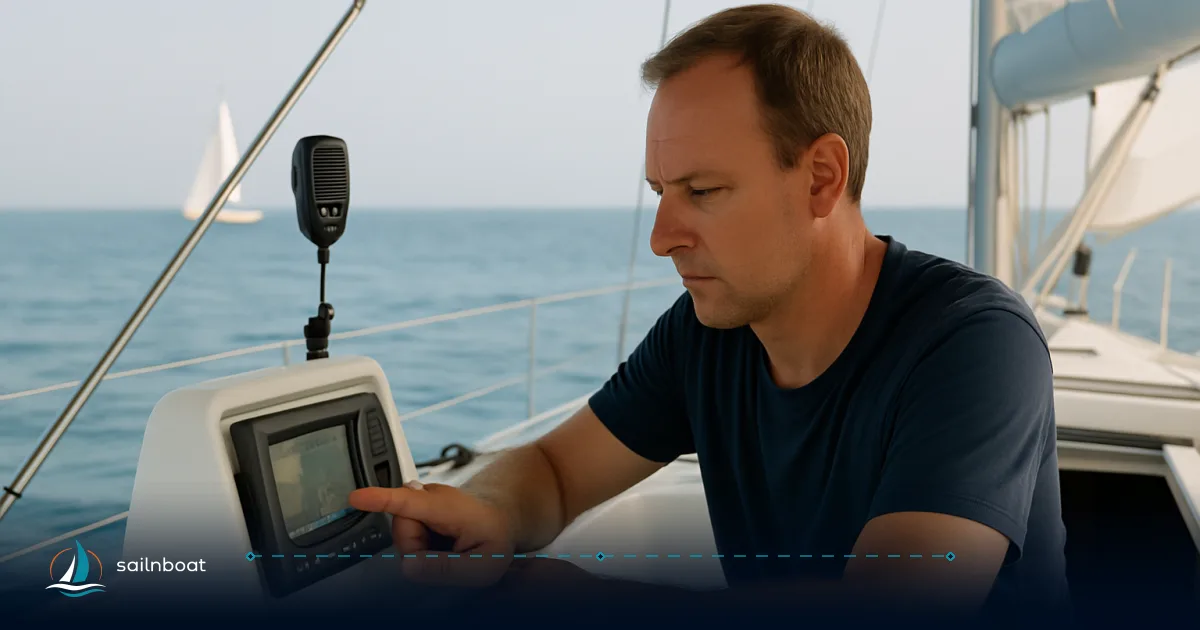
Using AIS correctly gives you a continuous electronic picture of nearby traffic, but it must be used as part of a watchkeeping system — not as a substitute for a lookout or radar.
Understanding AIS and Its Importance
AIS (Automatic Identification System) is a VHF data broadcast system that automatically exchanges identity, position, course, speed and basic voyage data between ships and shore stations. The system was standardized by the ITU and adopted by IMO; it operates on two dedicated VHF channels and transmits short data bursts at intervals that depend on vessel speed and status.
Why it matters on a charter yacht
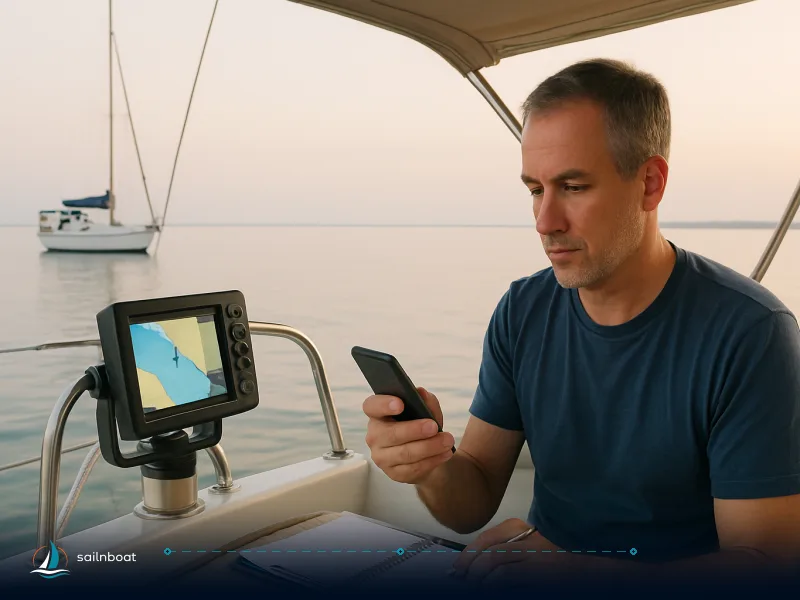
- It gives you target IDs and dynamic data (COG, SOG, position) on your chartplotter and multi‑function display, which improves situational awareness in busy approaches, channels and anchorages.
- It is particularly useful for detecting large commercial traffic and for confirming identity and destination of contacts you cannot visually identify. However, AIS coverage is line‑of‑sight VHF — range depends on antenna height and local conditions — and not all small craft carry AIS. Treat AIS as an additional sensor, not the single source of truth.
Quick technical facts to remember
- MMSI (Maritime Mobile Service Identity) is a nine‑digit identifier used by AIS and DSC radios.
- AIS reporting intervals vary by class and vessel motion (typically 2–10 seconds underway for Class A and much less often for Class B; at anchor many devices report every 3 minutes).
Setting Up Your AIS Transponder
This section gives the practical sequence to install and hand over an AIS transponder on a charter yacht. Exact connectors and procedures vary by model; always follow the transponder manufacturer's manual and the charter operator's checklist.
Installation Steps
- Choose antenna locations
- VHF/AIS antenna: ideally a dedicated AIS VHF antenna or the ship’s primary VHF antenna; follow IMO SN/Circ.227 guidance on relative placement and cable routing. The GNSS antenna (GPS) should have a clear 360° sky view and be sited at least a few metres from high‑power transmitters (radar, Inmarsat, HF) where reasonably practicable. The IMO guidance gives concrete separation and routing recommendations for reducing RF coupling and ground loops.
- Practical charter compromise: on many yachts a small dedicated AIS whip fitted to the pushpit/arch or a masthead fitting directly above or below the VHF antenna is the workable choice — keep the coax run short and avoid parallel runs next to power cables.
- Cabling and grounding
- Use low‑loss marine coax for the VHF feed, waterproof connectors and a single‑point ground reference; route coax away from heavy power wiring and cross at right angles where unavoidable. IMO circular SN/Circ.227 covers cable separation, minimum bend radius and screen‑to‑ground recommendations.
- Power
- Most modern AIS transponders accept 12–24 V DC; fuse the positive supply at the source and fit an isolation switch for maintenance. Typical units draw a modest current, but peak current can be higher at boot or transmit, so follow the unit’s specified fuse/circuit‑breaker size. Examples in manufacturer manuals show 12–24 V DC operation and in‑line fusing (e.g., Raymarine, Simrad).
- Data connections
- Connect the AIS data output to the chartplotter/ECDIS via NMEA 2000 or NMEA 0183 (many modern units provide both or an Ethernet/NMEA gateway). Use a proper multiplexer if multiple talkers feed a single NMEA 0183 input. The AIS sends NMEA sentences such as !AIVDM and !AIVDO which chartplotters use to present targets.
- Mounting the transponder
- Mount the unit where it is dry, ventilated and accessible; secure fixings, avoid excessive heat and ensure the unit’s antenna connector faces up and is easily serviceable. Keep the GNSS antenna reference point documented (some AIS units need the GNSS antenna position set in metres aft of bow/port‑starboard).
MMSI Programming
-
Who programs the MMSI? On a charter boat the MMSI is usually assigned to the vessel by the flag authority or to the base operator. Many charter operators lock the transponder or keep a record of the vessel MMSI so crews do not change it between charters — ask the base before you alter anything. If you are provided a handheld VHF with DSC, it may share the vessel’s MMSI; do not program your personal number into the boat without agreement.
-
How to program MMSI correctly
-
Confirm the vessel’s assigned nine‑digit MMSI from the operator or radio licence document. Use the transponder menu or the manufacturer’s utility to enter the full 9‑digit MMSI (leading zeros are significant). Ensure you enter static vessel data (length/beam, call sign, ship name) as required. If you change ownership or the yacht’s registration, the MMSI must be updated by the responsible administration.
-
Common MMSI issues
-
Duplicate MMSI on the same VHF channel causes reporting conflicts and incorrect identity on receivers; a wrong MMSI can misidentify your yacht in traffic and in emergency situations. Many authorities require an assigned MMSI for DSC and AIS to be traceable to the vessel/owner.
Common Pitfalls in AIS Setup
Typical Setup Errors
-
Wrong or duplicate MMSI: leads to mis‑identification and ambiguous targets on other vessels’ plots. Confirm the vessel MMSI in writing before you edit it.
-
Poor antenna placement or bad coax: low or blocked VHF antennas, long runs with cheap coax, or antennas mounted under solar panels/metal structures reduce range and can attenuate both transmit and receive. Route coax carefully, use waterproof connectors and the smallest practical cable run. IMO SN/Circ.227 gives layout and cable guidance.
-
Power wiring mistakes: missing fuse, reversed polarity or no isolation switch. Always fuse the positive feed at the battery and observe the manufacturer’s recommended fuse/breaker size.
-
NMEA wiring errors: swapped NMEA 0183 wires, or trying to connect two NMEA 0183 talkers to one listener without a multiplexer, are common failure points — use an authorized installer if you’re unsure.
-
Leaving AIS in the wrong mode: some units support “silent” or “test” modes; in a charter handover verify the unit is in normal transmit/receive mode unless the operator directs otherwise.
Table — Class A vs Class B (practical comparison)
| Feature | Class A (commercial) | Class B (recreational / many yachts) |
|---|---|---|
| Intended users | SOLAS/commercial ships | Pleasure craft, small commercial |
| Typical transmit power | ~12.5 W (higher power, priority access). | ~2 W (lower power; may use CSTDMA SO‑TDMA variants). |
| Reporting rate (underway) | 2–10 s depending on speed and manoeuvre. | Slower reporting (e.g., 30 s–3 min depending on class/variant). |
| Static data available | Full static/voyage data | More limited on some models |
| Typical installation expectation | Integrated with ship sensors (gyro, GNSS) | Simpler; may rely on internal GNSS |
(Use the table to pick the right device for your charter yacht — many charter yachts carry Class B; don't expect Class A performance unless specified.)
Interpreting AIS Data Safely
Cross‑Referencing Data
-
Always cross‑check AIS tracks against your radar, chartplotter and visual lookout. AIS may report stale position, incorrect draft or a wrong destination. Radar provides range and bearing independent of other vessels’ electronic data — use it for CPA/TCPA verification when in doubt. IMO’s operational guidelines stress AIS is an aid to navigation; human judgement remains essential.
-
Be cautious with small craft and Class B targets: lower transmit power and lower reporting rates mean fast, small craft can appear erratic on the plot; assume their manoeuvrability may be higher.
-
Watch for anomalous or duplicated MMSI signals and spoofing: public authorities warn AIS data can be wrong or abused — do not make collision avoidance decisions on AIS alone if the data looks inconsistent. If the target’s identity or course seems odd, verify visually or by VHF call.
How to use AIS data for decisions
- Use AIS to prioritise targets for visual/radar checks (who to watch first).
- Use CPA/TCPA values as an early warning — then verify range and bearing on radar before altering course.
- Remember latency: position updates are not continuous; a vessel turning sharply may not show immediate accurate course/heading on the plot.
Pre‑Departure Checks for AIS Functionality
Use this short checklist every time you take over a charter boat. Each item is quick and reveals the majority of operational faults.
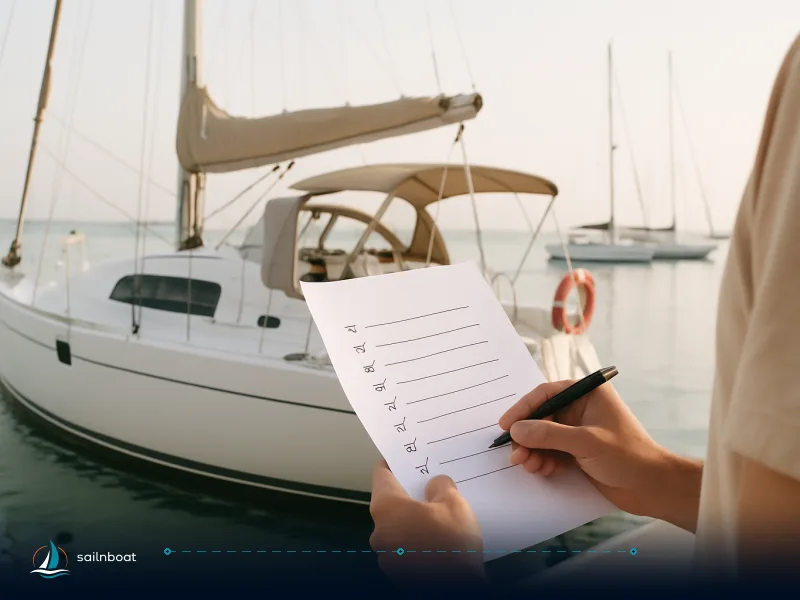
Pre‑departure AIS checklist
- Power on and health check
- Power the unit and confirm green/status LED for power and GNSS fix. Most units display GNSS lock and signal quality; wait for a valid fix.
- Verify MMSI and static data
- Check the transponder’s MMSI, ship name and dimensions are programmed as the operator expects. Do not change the MMSI unless authorised by the yacht’s operator.
- Confirm reception of targets
- Ensure you can see AIS targets on the chartplotter. If you receive zero targets in a coastal area where traffic exists, suspect antenna or wiring faults.
- Confirm transmission
- Confirm the unit transmits (many chartplotters show your own vessel icon or you can use an on‑board AIS tool to show recent sent messages). If you have internet access, many ship owners or bases ask you to confirm your vessel appears on an AIS portal — this is a useful extra test but not a required step for navigation. Some operators recommend an on‑air test as part of performance checks, but confirm the required procedure with your charter operator.
- Check chartplotter / NMEA feed
- Confirm AIS messages appear on the plotter (targets update and your own vessel symbol is shown). Verify connection type (NMEA 0183 or 2000) and that sentences AIVDM/AIVDO are present if you can view raw data.
- Lookout and radar cross‑check
- Before you leave the marina, position a lookout and check radar echoes and visual bearings of nearby AIS targets to verify the system is sensible. Don’t let AIS lull you into a single‑person watch.
If something fails
- If you cannot fix the fault quickly (e.g., no GNSS fix, no transmit, bad wiring), inform the charter operator immediately; do not depart if you will be entering high‑traffic approaches without a working AIS where the operator or local regulations expect one.
Safe Practices for Using AIS
-
Keep AIS on when at sea unless there is a legitimate security reason to turn it off — IMO guidance says AIS should be maintained in operation at all times except where international agreements or safety/security reasons advise otherwise.
-
Do not trust MMSI identity blindly: use VHF to call a vessel you need to clarify. VHF contact remains the correct method to resolve ambiguity when two targets are close or identity is unclear.
-
Maintain a proper lookout: AIS does not detect non‑transmitting targets (small open boats, kayaks, non‑AIS buoys) and is subject to reception gaps; visual and radar lookout remains mandatory.
-
Log faults and tests: note an AIS pre‑departure check in your log with time, MMSI, GNSS status and a short result of the TX/RX test — this helps the base trace intermittent problems and meets best practice for equipment checks. Some best practice guidelines recommend recording tests and retaining the report; confirm with your operator if this is required.
-
Know the limits of collision avoidance on AIS: CPA/TCPA are computed from transmitted position and SOG/COG and may be misleading if data are stale or corrupted — always verify on radar and visually before manoeuvring.
Final words you can act on
- Ask the base for the vessel MMSI and a written checklist at handover.
- Do a 5–10 minute AIS commissioning on deck: power up, confirm GNSS, confirm receipt of nearby targets, confirm your own transmission, and check the chartplotter feed. If anything looks wrong, get the base to swap the unit or call an installer.
Safe cruising depends on the right technology, installed correctly, and sensible seamanship. Using AIS well is about reliable installation, correct MMSI handling and disciplined cross‑checking — do those three things and the system will give you a clear operational advantage on a charter passage.
Frequently Asked Questions
AIS broadcasts your yacht’s identity, position, course and speed to other AIS‑equipped vessels and shore stations, increasing situational awareness; it is an aid to navigation, not a replacement for lookout or radar.
Install a suitable AIS transponder per the manufacturer and IMO SN/Circ.227: dedicated AIS (or shared VHF) antenna with correct vertical separation, GNSS antenna with clear sky view, fused 12/24V DC supply, and NMEA output to the chartplotter.
Common errors are wrong or duplicated MMSI, poor antenna placement or grounding, incorrect power wiring/fuse, and not checking that the unit transmits/receives before leaving berth.
Treat AIS as one input: cross‑check CPA/TCPA and identity with radar and visual sighting, be cautious with small craft/class B targets, and assume AIS data may be delayed, wrong or spoofed.
Power on and confirm GNSS fix, verify MMSI and static data, confirm you receive nearby targets, check your transmission on the plotter or via a shore/AIS viewer if available, and log the check.
Written by
Sailnboat Editorial
The Sailnboat editorial desk covers yacht and boat chartering worldwide — routes, bases, seasons, boat types, paperwork and the practical costs that decide a trip. We are a charter marketplace, not a boat owner or a local agency: what we sell is judgement and support, so our guides are written to help you make a decision, not to sell you a specific boat. Every guide is checked against live operator and marina data before it goes out.
Fact-checked against live operator and marina data, and published under our editorial standards. Last reviewed: .